English
 Tiếng Việt

Website Backup Guide: How to Back Up Your Site the Right Way
A hacked site, an accidental deletion, a plugin update that leaves a blank page, a hosting outage: these things happen more often than you think. In each case, the one thing that gets you back online in hours instead of rebuilding from scratch is a website backup that actually works.
Many owners relax because "the host does backups", only to find out during a crisis that the copy is old, broken or already infected. This guide helps you check and set up your website backup the right way.
What does a website backup need to include?
A website usually has three parts, and you need all three:
- Code: the CMS files (WordPress, Drupal and so on), theme, plugins and modules.
- Database: posts, products, orders, customer accounts and settings.
- Uploaded files: images, documents and videos you have added to the site.
Without the database you lose all your content. Without the uploads folder, the text survives but every image disappears.
Follow the 3-2-1 rule
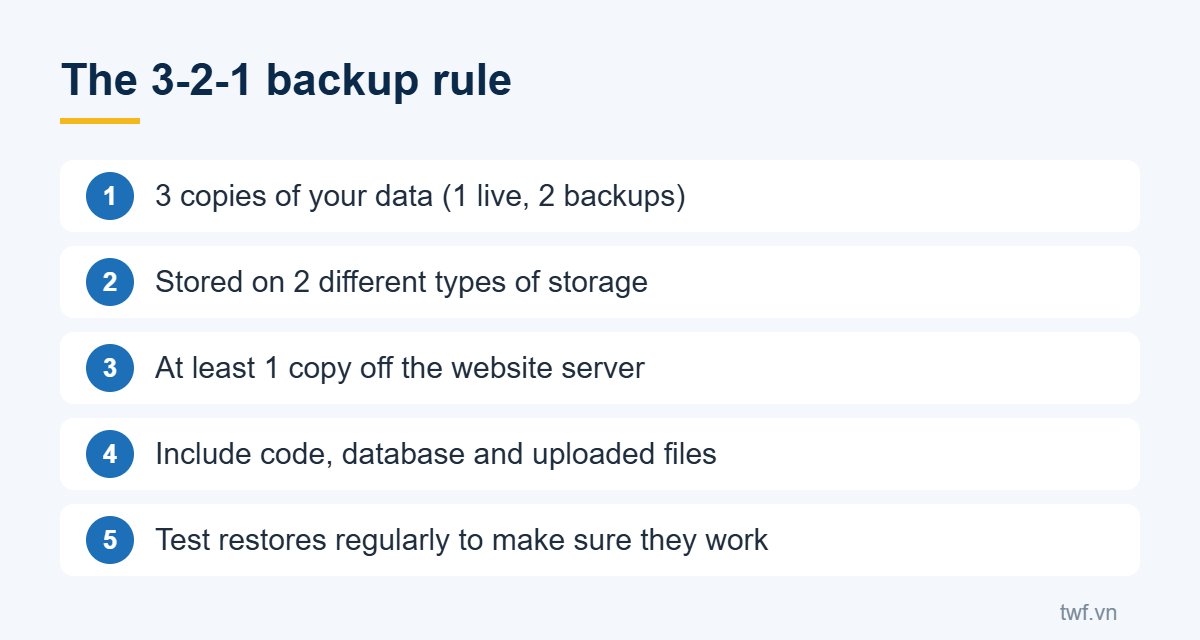
This widely used backup principle says: keep 3 copies of your data, on 2 different types of storage, with at least 1 copy off the server that runs your site. The reason is simple: if the server fails or an attacker takes control, backups stored on the same server can be lost too.
The off-site copy can live in cloud storage such as Google Drive, OneDrive or an object storage service, or on a drive at your office.
How often should you back up?
- Brochure sites that rarely change: weekly is enough, plus a backup before any major change.
- Blogs and news sites: daily.
- Online stores with constant orders: back up the database daily or several times a day.
Keep several versions, for example seven daily and four weekly copies. Some hacks are only noticed weeks later, when the most recent backups already contain the malware.
Always back up before you…
- Update the CMS, theme or plugins, or upgrade PHP;
- Move to a new host;
- Change the design or major features;
- Delete content or products in bulk.
Test your restores
A website backup that has never been restored is only a hope. Every few months, restore a copy to a test environment (a subdomain or a local machine) to confirm the files are intact and the process works smoothly.
Protect the backups themselves
Backup files contain everything, including customer information. Never leave them in a public folder of your website where anyone could download them. Protect the storage with strong passwords and limit who can access it.
A good website backup is your last line of defence against incidents such as a hacked website. If you would rather have experts handle backups, monitoring and security for you, see TWF's website security and maintenance services.