English
 Tiếng Việt


Core Web Vitals Explained: How to Read Your PageSpeed Score
Core Web Vitals are the three metrics Google uses to judge how your pages feel to real visitors. You run Google PageSpeed Insights, get an orange or red number and a list of terms like LCP, INP and CLS, and many business owners simply close the tab. This guide explains what each metric means, which numbers matter and what to fix first.
What are Core Web Vitals?
Core Web Vitals measure the real experience of people using your site: does the page appear quickly, does it respond right away when tapped, and does the layout stay still while reading? They are one of the signals Google considers in ranking, especially when competing pages offer similar content. You can read Google's own definition on web.dev.
LCP: how fast does the main content appear?
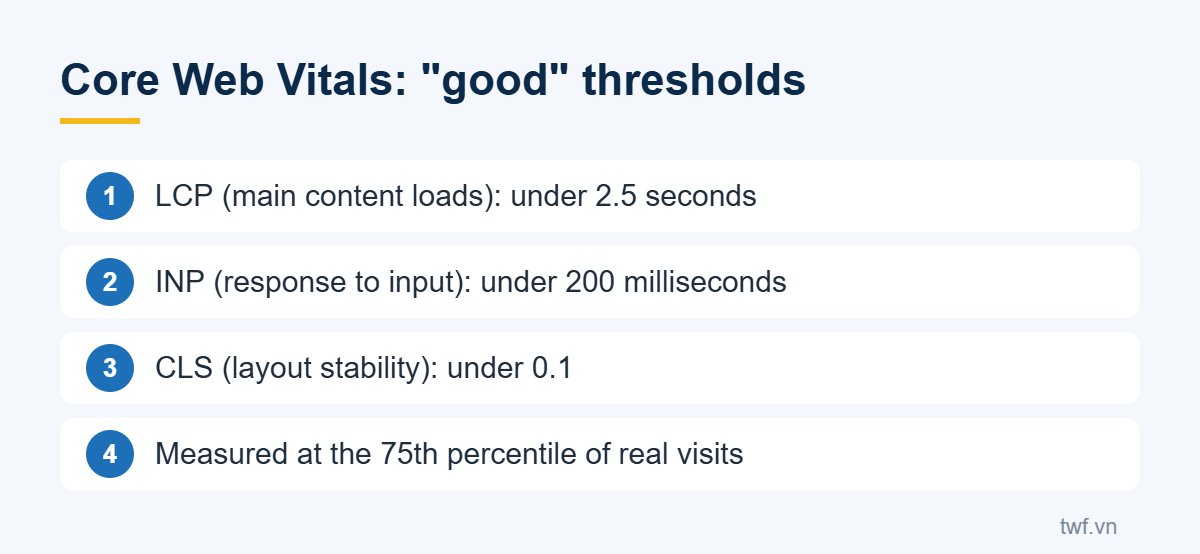
LCP (Largest Contentful Paint) measures how long the largest element in the first screen takes to render, usually a banner, the article image or a large heading. Under 2.5 seconds is good, above 4 seconds is poor.
Slow LCP usually comes from a slow server, a heavy hero image, a hero image that is lazy-loaded by mistake, or render-blocking stylesheets and scripts.
INP: does the page respond when tapped?
INP (Interaction to Next Paint) measures the delay between a tap, click or key press and the screen updating. Since March 2024, INP has replaced the older FID metric. Under 200 milliseconds is good.
Poor INP usually means the page runs too many scripts, such as sliders, popups, ad tags and chat widgets, keeping the browser busy.
CLS: does the layout jump around?
CLS (Cumulative Layout Shift) measures unexpected movement of elements on the page. Picture trying to tap a link when a banner suddenly loads above it and pushes it down. Under 0.1 is good.
High CLS is usually caused by images without width and height, ads or embeds injected later, or web fonts that change text size after loading.
Real-user results vs. the lab score
The PageSpeed Insights report has two parts that people often confuse:
- Real-user results are collected from Chrome visitors over the last 28 days. This is what Google uses to assess Core Web Vitals. Low-traffic sites may show "No Data".
- The 0 to 100 performance score is a lab test that simulates a mid-range phone on a slow 4G connection. It is meant for finding problems and can vary by a few points between runs.
So do not panic if your mobile score is 60 to 70 while real-user results pass. Equally, a high lab score does not guarantee that visitors experience a fast site.
How to improve your Core Web Vitals
- Find out which element is your LCP (PageSpeed shows it) and make it load early and light.
- Compress and resize images, and declare width and height for every image.
- Reduce and defer unnecessary scripts, especially third-party ones.
- Enable caching and improve server response.
For a closer look at the usual causes, read Slow website? 7 common causes and how to fix them. If you want an expert to audit and improve your Core Web Vitals, see TWF's speed optimization services.